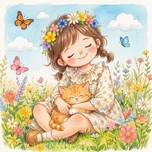
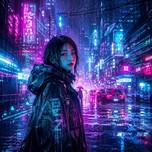
Generated Result

Results will be displayed here

Anime YourselfFun Photo to Cartoon Tool

Built-in with 7 exclusive styles including Anime, 3D, and Hand-drawn. Our AI intelligently extracts facial features to easily create your personalized cartoon avatar.

Want to break the dimension wall and experience more stunning styles?

In addition to basic anime conversion, we've prepared a comprehensive suite of All-round Art Styles in the 'AI Photo Editor'. Click any style below to instantly reconstruct your real-life photos:
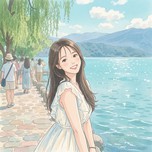
Anime Style

Break the Dimension Wall, Become the Protagonist

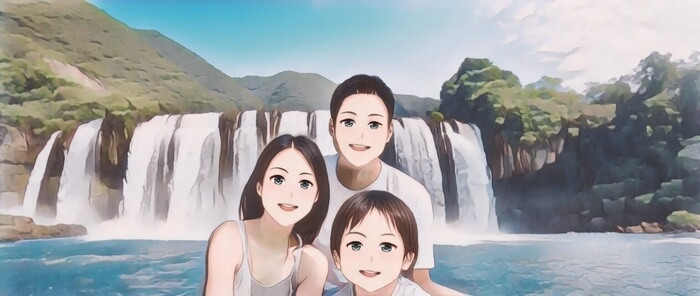
Classic ACG protagonist style with vibrant colors and smooth lines. Perfectly suited for social media avatars, instantly turning you into a youthful and energetic anime character.

Anime Style Photo to Anime effect showcase
3D Style

Designer Toy Texture, Vividly 3D

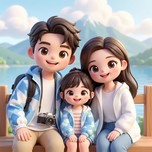
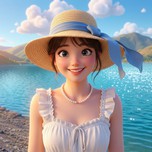
A 3D cartoon effect featuring realistic lighting and delicate textures. Resembles characters from modern 3D animated movies—cute and highly contemporary.

3D Style Photo to Anime effect showcase
Illustration Style

Digital Art

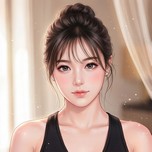
Infused with digital art aesthetics. Strong color contrasts and expressive compositions make it perfect for visually striking and personalized assets.

Illustration Style Photo to Anime effect showcase
Hand-drawn Style

Warm & Realistic Brushstrokes

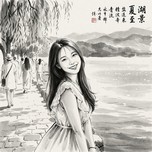
Simulates the delicate strokes of watercolor or colored pencils, preserving natural textures and artistic randomness to give your portrait a warm, hand-painted healing vibe.

Hand-drawn Style Photo to Anime effect showcase
Design Style

Minimalist Premium Illustration

A minimalist, high-end vector design style. Using large color blocks, flatness, and clear geometric outlines to present a clean, modern visual.

Design Style Photo to Anime effect showcase
Art Style

Gallery-Worthy Masterpiece

Deep lighting with rich, heavy colors transforms your everyday photos into artistic masterpieces worthy of a gallery display.

Art Style Photo to Anime effect showcase
Pencil Style

The Pure Beauty of Structure & Lines

Classic black-and-white sketch style. Accurately outlines facial contours through delicate pencil hatching, stripping away color distractions to reveal pure structural beauty.

Pencil Style Photo to Anime effect showcase

Service Notices

Providing a transparent AI processing workflow to ensure your user experience.

Smart Scaling

When the total image pixels exceed 8.29 million (2880 × 2880, approx. 4K level), the system will automatically scale it down to maintain generation stability.

Processing Limits

Free version limits single images to 5MB and does not support batching. Members can upload single images up to 20MB and process up to 15 images per batch.

Supported Formats

Supports processing of PNG, JPG, JPEG, JPE, BMP, and WEBP image formats.

Privacy Commitment

Processing results are kept for a maximum of 24 hours. After that, they are automatically and permanently destroyed. Please download promptly.

Three steps to create your exclusive anime avatar

No complex parameters needed. A simple one-click operation instantly brings your photo into the anime world.

1

Upload a Frontal Photo

Please choose a clear frontal photo with well-lit, unobstructed facial features for the best capture results.

2

Choose a Cartoon Style

Select your favorite style, such as Anime, Design, 3D, Illustration, etc.

3

Get Your Cartoon Result

Wait a few seconds for the cloud AI to process, then preview and download your exclusive anime avatar or artwork.

Frequently Asked Questions

Find answers to all your questions about our cartoonify tool here.

What is the Anime Yourself tool?

It is an intelligent AI-powered tool that automatically extracts facial and contour features from your uploaded real-life photos and converts them into various cartoon and anime styles.

What anime styles are available to choose from?

On this page, we offer 7 exclusive anime styles for one-click generation: Anime, Design, 3D, Illustration, Hand-drawn, Art, and Pencil Sketch.

What if I want a Ghibli or Pixar style?

You can visit our 'AI Photo Editor - Style Transfer' module, which provides richer advanced style models like Ghibli, Pixar 3D, Korean Manhwa, and Cyberpunk.

How are the results? Any recommendations?

For the best conversion results, we recommend uploading a clear frontal photo with unobstructed facial features and even lighting. The AI will also stylize photos with complex backgrounds.

What image formats are supported? Is it fast?

The system supports JPG, PNG, WEBP, and BMP formats. Typically, converting a single image takes only a few seconds in the cloud.

The Next Step for Your Creation

Pair with these tools to make your artwork perfect